In short: Pick an AI image generator by the job in front of you, then check its license before you sell anything, because some free and open models forbid commercial use outright.
You type a sentence. Ten seconds later you have an image that would have taken a designer a day. Then the useful question arrives: is this good enough to actually use, and are you allowed to?
Most articles about the best AI image generators answer neither. They rank tools out of ten, quote a score from a dataset nobody can inspect, and go quiet on the part that can actually cost you money. We went looking for the rules in the providers’ own documentation instead.
This is written for anyone making images, whether that is a school project, a YouTube thumbnail, a product listing, or client work you invoice for.
Which AI image generator is best?
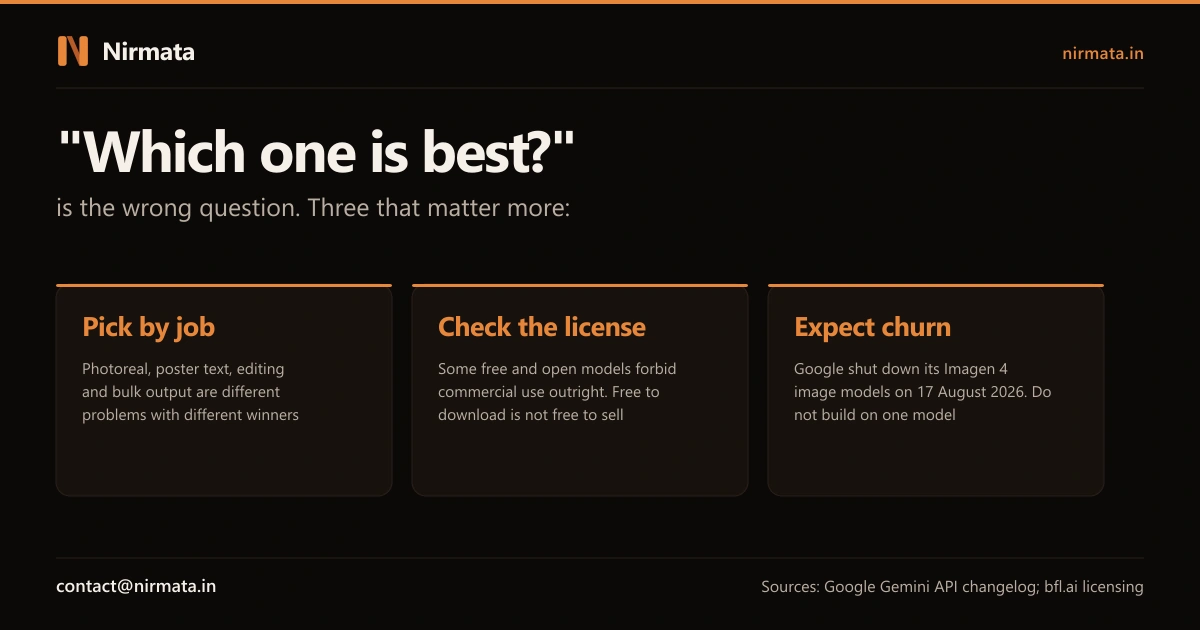
None of them, universally. The honest answer is that photorealism, readable text inside an image, editing an existing photo, and generating hundreds of images cheaply are four different engineering problems, and no single tool leads on all four. Pick for the job in front of you, then check what the license lets you do with the result.
1. The best AI image generators differ by job
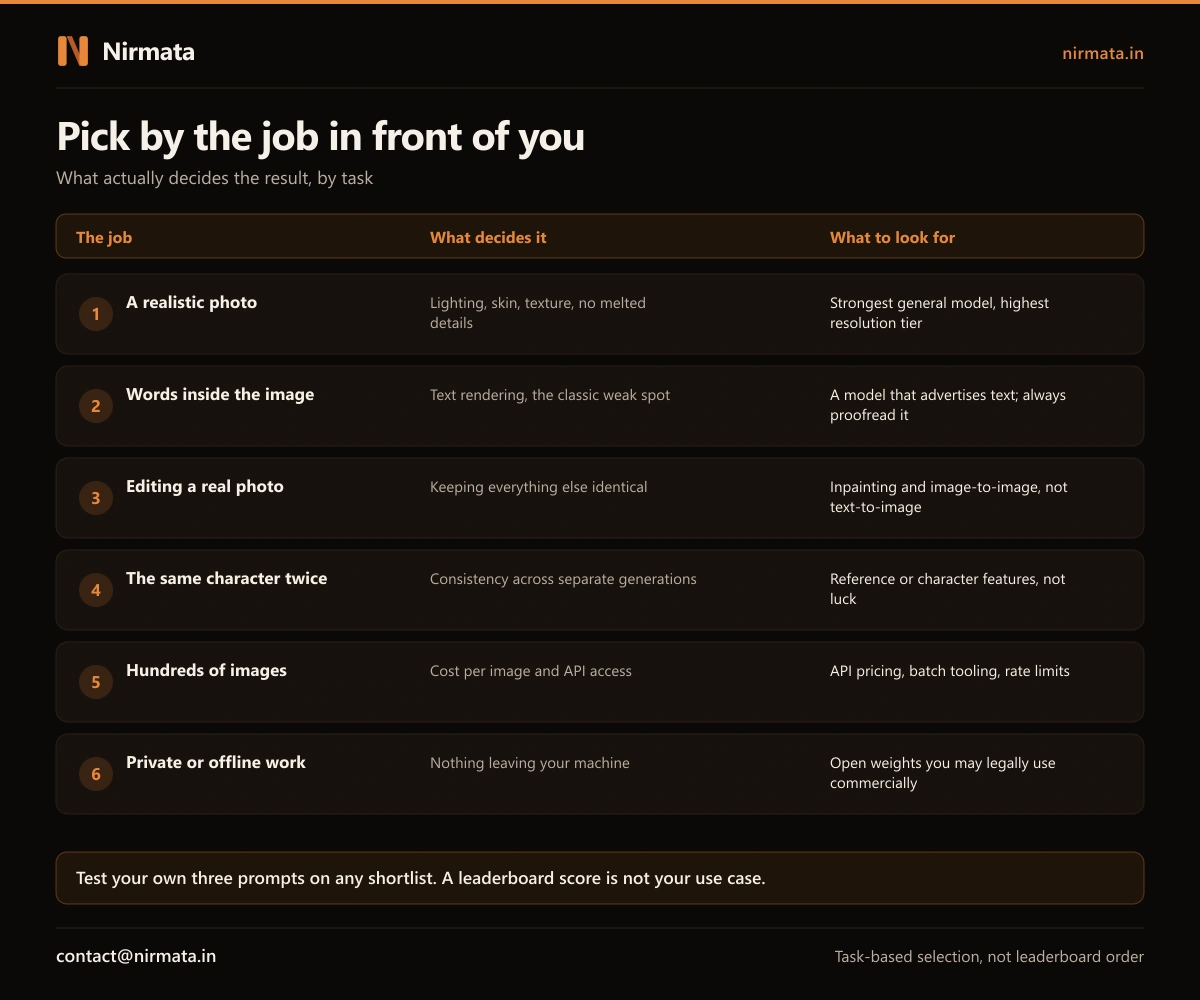
Before comparing anything, name the job. It narrows the field faster than any review.
What this looks like in practice
- A realistic photo. You are judging lighting, skin, fabric and whether small details hold together. Use the strongest general-purpose model you can access and its highest resolution tier.
- Words inside the image. Posters, thumbnails, packaging. Text has been the classic weak point, so use a model that specifically advertises text rendering, and proofread every character. Models still misspell confidently.
- Editing a photo you already have. This is inpainting or image-to-image, not text-to-image. The skill you want is changing one thing while leaving everything else untouched.
- The same character or product twice. Look for reference image or character consistency features. Without them you are relying on luck across separate generations.
- Hundreds of images. Now cost per image and API access matter more than beauty. Check batch tooling and rate limits.
- Private or offline work. You want open weights that run locally, and a license that permits your use. That last part is where people slip.
2. Free to download is not the same as free to sell
This is the section other guides skip, and it is the one that can cost you a client or a takedown. Two models can look identical in quality and carry completely different rights.
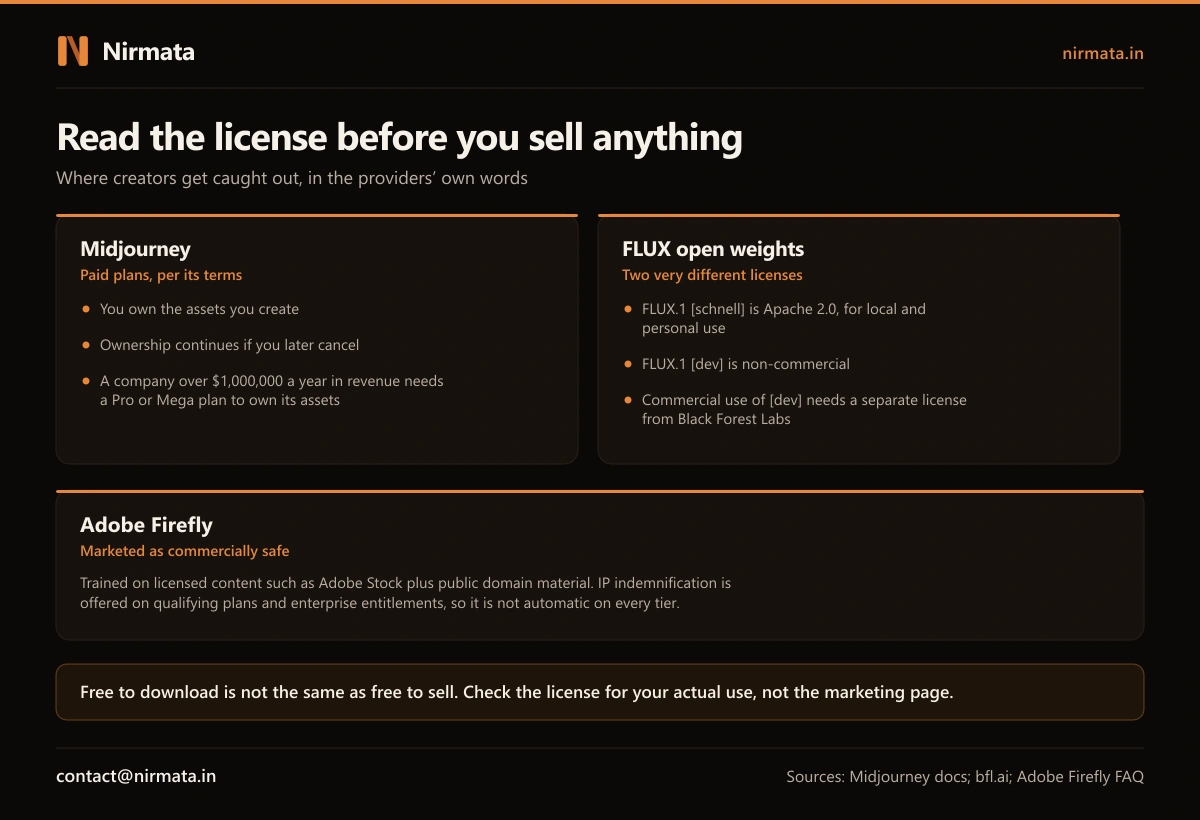
Black Forest Labs, which makes the FLUX models, is the clearest example. FLUX.1 [schnell] is released under Apache 2.0 and is aimed at local and personal use. FLUX.1 [dev] is open-weight but non-commercial: if you want to use it in a commercial product you need a separate license from them. Same family, same download page, opposite answers to “can I sell this?”
What the big providers actually say
- Midjourney: its commercial use documentation says you own the assets you create, and that ownership continues even if you later cancel. The catch is scale: if you are a company, or an employee of a company, with more than $1,000,000 a year in revenue, you must be on a Pro or Mega plan to own what you generate.
- Adobe Firefly: Adobe states it trained on licensed content such as Adobe Stock plus public domain material, and markets the output as commercially safe. Read the indemnification detail carefully though: Adobe offers IP indemnification on qualifying plans and through enterprise entitlements. It is not an automatic promise attached to every tier, so check the plan you are actually on.
- Open weights generally: the words “open” and “free” describe the download, not your rights. Always find the license file rather than the marketing page.
Cost of getting this wrong
The expensive mistake is not choosing a slightly worse model. It is building a product, a store listing or a client deliverable on images you were never licensed to sell, then finding out after launch. Fixing it means regenerating every asset on a compliant tool, and if the work has shipped to a client it means telling them. Ten minutes reading a license beats that conversation.
3. Expect the tool to change under you
Whatever you pick, do not wire your habits or your business into one model name. This field retires products fast.
Google’s own Gemini API changelog records the pattern plainly: three Imagen 4 image models were deprecated on 15 June 2026 and shut down on 17 August 2026, with users pointed to newer endpoints. Its current image models sit under the Nano Banana naming instead, which themselves went generally available in mid-2026 after their preview versions were retired within weeks.
What to do about it
- Keep your prompts in a document you own, not only in a tool’s history
- Download and archive finished images at full resolution rather than relying on the platform to keep them
- If images matter to your operations, be able to switch providers without redoing the workflow
- Prefer tools that write provenance metadata, so you can prove what you made and how
4. What still does not work well
Quality has moved fast, but a few failure modes remain, and knowing them saves you from blaming your prompt.
- Text. Improving, still unreliable. Short words beat long ones, and always check spelling yourself.
- Precise counts and hands. “Exactly five people” is a request, not a guarantee.
- Consistency. Getting the same face, product or style across a set is a specific feature, not a default.
- Real print sizes. Check native output resolution before promising anything for print.
- Anything factual. An image model does not know what your product looks like. If accuracy matters, edit a real photo instead of generating one.
Myth vs Facts
Myth: “Tool X is the best AI image generator, it scored 9.6 out of 10.”
Fact: Those scores usually come from review sites with no published test set, prompt list or scoring method. We could not verify the methodology behind any of the ranked lists we found while researching this piece. A number without a method is an opinion wearing a costume. Run your own three prompts instead; it takes fifteen minutes.
Myth: “It is open source, so I can use it for anything.”
Fact: FLUX.1 [schnell] is Apache 2.0 and FLUX.1 [dev] is non-commercial, from the same lab. Open weights tell you that you can download and run it, not that you can sell what it makes.
Myth: “I paid for a subscription, so the images are mine, full stop.”
Fact: Mostly true, with conditions worth reading. Midjourney’s terms tie asset ownership for larger companies to being on a Pro or Mega plan above $1,000,000 in annual revenue. Paying the smallest amount is not automatically the same as being licensed for your situation.
Myth: “AI images are legally risky, so serious businesses avoid them.”
Fact: Plenty of businesses use them deliberately, on tools chosen for their terms. Adobe built Firefly’s whole pitch on training data provenance and offers indemnification on qualifying plans. The risk is not using AI images, it is using them without checking which tier you are on.
Choosing in fifteen minutes
| Your job | What decides quality | What to check before you commit |
|---|---|---|
| Realistic photos | Detail integrity at full size | Native output resolution |
| Posters and thumbnails | Text rendering | Spelling in your own test prompt |
| Editing real photos | Leaving the rest untouched | Inpainting or image-to-image support |
| Sets and series | Character consistency | Reference image features |
| High volume | Cost per image | API access and rate limits |
| Anything you sell | Not quality at all | The license for your actual use |
What this means if you’re running AI in your business
For a single logo or a handful of social posts, any of the mainstream tools will do, and the license check is the only step people skip that they should not. The picture changes when images become part of how the business runs: hundreds of product shots a month, listings that must match real stock, or artwork generated inside a workflow rather than by a person at a keyboard.
At that point image generation stops being a creative tool choice and becomes a systems question: where the prompts live, what checks run before an image goes public, who is accountable when a wrong one ships, and whether you can change provider without rebuilding everything. Those are the same questions behind any automation, and the reason we wrote 27 AI rules for business owners and a build versus buy framework. The failure mode is also familiar: a confident, wrong output that nobody caught, which is exactly what AI mistakes actually cost businesses.
- Name the job before comparing tools
- Run the same three prompts through every candidate
- Find the license file, not the marketing page, before you sell anything
- Confirm whether indemnification applies to your specific plan
- Check native resolution against how the image will be used
- Archive finished images and prompts somewhere you control
Are you exposed on AI images?
Tick each that applies to you.
- You have sold or published an AI image without reading the license
- You do not know whether your plan includes indemnification
- You are using an open-weights model commercially without checking its terms
- Your prompts exist only inside one tool’s history
- Nobody checks AI images for spelling or accuracy before they go public
If This Were Your Workflow, Here’s Our First Move
We would spend fifteen minutes, not fifteen hours. Write down the job. Pick three candidate tools. Run the same three prompts through each, judged on your real use rather than a review score. Then read the license for the one that won, specifically for the use you intend, and check whether your plan carries indemnification.
That is enough for most people, and you do not need us for it. If images are becoming part of how your business actually operates, and the questions have turned into pipelines, checks and accountability, tell us what you are building and we will tell you honestly whether it needs a system or just a better habit.